
Google Docs Estimate Template for Quotes and Jobs
Prefer a file? Download .docx · Download PDF
How it works: “Use this template” opens Google’s copy screen. Sign in to your Google account and the document is copied to your own Drive, where you can edit every line. Need help copying the document?
What's inside the estimate template
-
Details
- Estimate no. · Date · Valid until
-
Table
- Table: Work, Qty, Rate, Amount
-
What's included
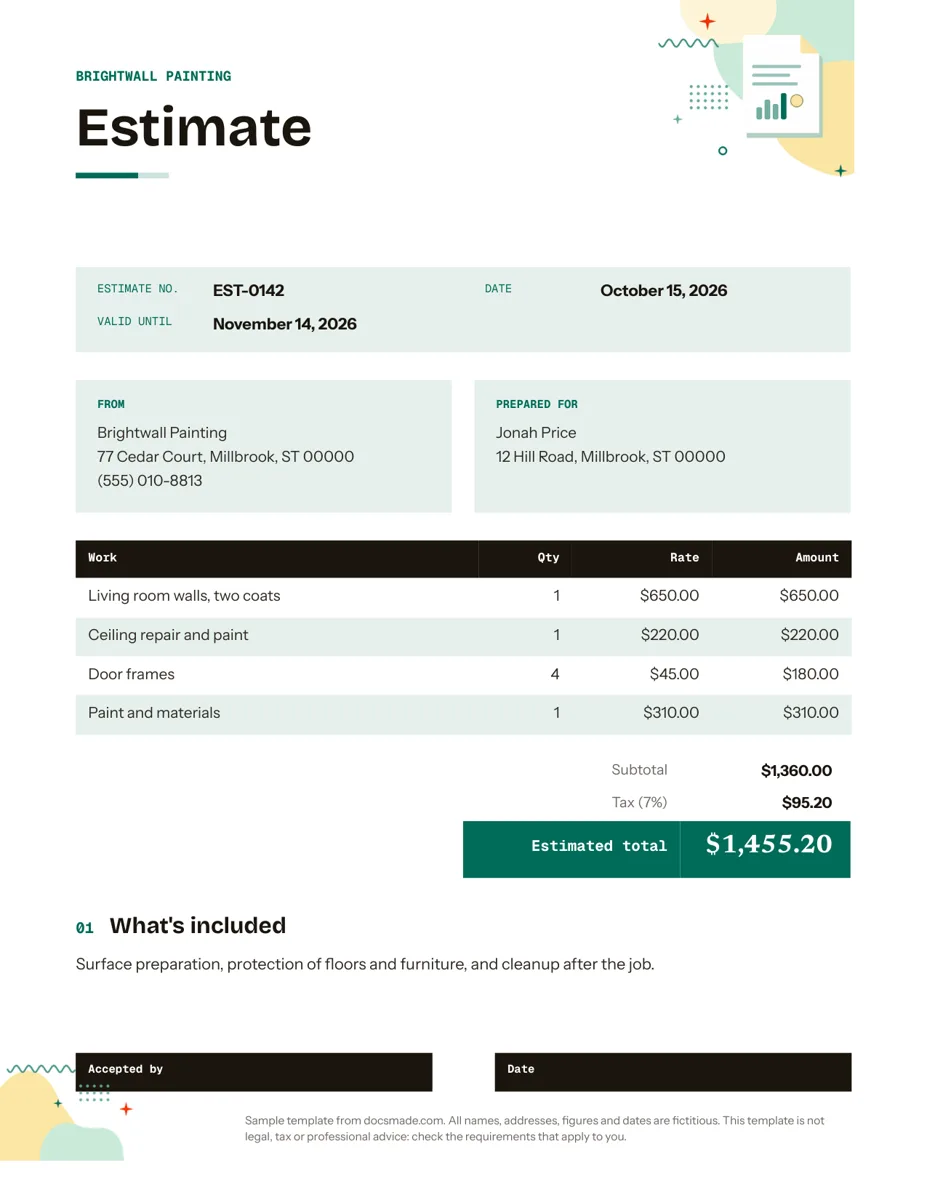
This estimate template is a real Google Doc for pricing a job before you start it. Contractors, tradespeople and service businesses can preview it on this page, copy it to their own Drive, fill in the work and the numbers, and send the client a clean PDF they can accept with a signature.
What's in this free estimate template for Google Docs
The template fills one Letter page and uses a fictitious painting company, Brightwall Painting, so you can see how a finished estimate reads before you replace the details.
- Business name band. A colored header strip with your company name, ready for a logo.
- Estimate details. Estimate number (EST-0142 in the sample), the date it was issued and a Valid until date, so the client knows how long the price holds.
- From and Prepared for. Your address and phone on one side, the client's name and the job address on the other.
- Work table. Columns for Work, Qty, Rate and Amount. The sample prices living room walls, a ceiling repair, four door frames and a separate line for paint and materials.
- Totals. Subtotal, a tax line with the rate shown, and an Estimated total, a label that makes clear the figure is a forecast and not a bill.
- What's included. A short paragraph that spells out the work around the job: surface prep, protecting floors and furniture, and cleanup.
- Acceptance line. "Accepted by" and "Date" fields at the bottom, so a signed copy doubles as the client's go-ahead.
How to write a job estimate clients say yes to
A good estimate answers the client's questions before they ask them. These habits make the difference:
- Visit or ask before you price. Measurements, photos or a short call prevent the most common problem with any estimate: work you did not see until you started.
- Break the job into lines. One lump sum invites haggling. Separate lines for each task, plus materials, show where the money goes and make it easy to drop or add an item.
- Keep labor and materials apart. Clients often ask to supply their own materials. When materials sit on their own line, you can adjust the estimate in seconds.
- Write down what is included and what is not. The "What's included" paragraph is where you list prep work and cleanup. Add a sentence for exclusions too, such as moving heavy furniture or repairs found once walls are opened.
- Set a validity date. Material prices and your schedule change. Thirty days is a common window; pick what fits your trade and keep it consistent.
- Do the math twice. Google Docs tables do not add up numbers for you. Multiply Qty by Rate on each line, total the column, then apply tax. A wrong sum on an estimate is hard to walk back once the client has signed.
Whether you can charge sales tax on labor, and how estimates relate to contracts, depends on your state or country. Check the rules that apply to you; this template is not legal or tax advice.
How to edit the estimate template in Google Docs
Press Use this template on this page, or open the preview and go to File > Make a copy. Your copy is fully editable and private to your account. The guide to copying a Google Doc walks through it with screenshots.
- Swap the brand. Click into the header band and type your business name. Change fonts and colors from the toolbar, or update the heading style once through Format > Paragraph styles. Add a logo with Insert > Image.
- Resize the table. Right-click a row to insert or delete lines. Drag the column borders if your trade needs longer descriptions.
- Rename columns. "Rate" can become "Hours" or "Unit", and "Work" can become "Service" or "Item", depending on how you price.
- Change paper size. The Doc uses US Letter. Switch to A4 under File > Page setup if your clients are outside North America.
Save one filled copy with your company details and standard "What's included" text as a master. Then make a copy of the master for each new job and only change the client and the lines.
Send the price quote as a PDF or Word file
Send the estimate as a PDF so the numbers cannot shift. In your copy, choose File > Download > PDF Document (.pdf), or use File > Email > Email this file to send it straight from Docs. Need an editable file for a client or a bid portal? File > Download > Microsoft Word (.docx) works, and the download buttons on this page give you the blank template in both formats.
If a partner or office manager checks prices before they go out, share the Doc with comment access. They can flag a line with Insert > Comment and you resolve it before sending. To get a signature, the client can print, sign and scan the page, or reply in writing to accept; keep that reply with your copy.
Contractor, construction and service quote examples
- Painting and decorating. Price by room or surface, as in the sample, and list paint as a single materials line.
- Construction and remodeling. Group lines by phase (demolition, framing, finishes) and add a sentence about how change orders will be priced.
- Cleaning, landscaping and lawn care. Use Qty for visits and Rate for the per-visit price, so a recurring service is easy to read.
- Freelance and creative work. List deliverables and a set number of revision rounds. If the client wants a fuller pitch with approach and timeline, a project proposal is a better fit.
When the job is done, turn the accepted estimate into an invoice with the same lines so the client can compare the two, then send a receipt once they pay. More business templates for Google Docs are in the same collection.
Estimate and quote template FAQ
What is the difference between an estimate and a quote?
Many businesses use the words interchangeably. In general, an estimate is an informed guess that can change if the job turns out different, while a quote is a fixed price for a defined scope. If you mean a fixed price, rename the title to "Quote" and say so in the terms.
Is this estimate template for Google Docs free?
Yes. Preview, copy and download it as .docx or PDF without signing up, and use it for your own business.
Can Google Docs calculate the estimate total?
No. Docs tables do not run formulas, so you type each amount and the total. For long material lists, work out the numbers in Google Sheets and paste the results into the Doc.
How long should an estimate be valid?
There is no single rule. Choose a window that covers how fast your material costs and schedule change, write it in the Valid until field, and re-issue the estimate if the client comes back later.
Does a signed estimate replace a contract?
Not always. A signed estimate shows the client agreed to the price and scope, but larger jobs often need a separate written contract. Check what your trade and location require.
More templates
-
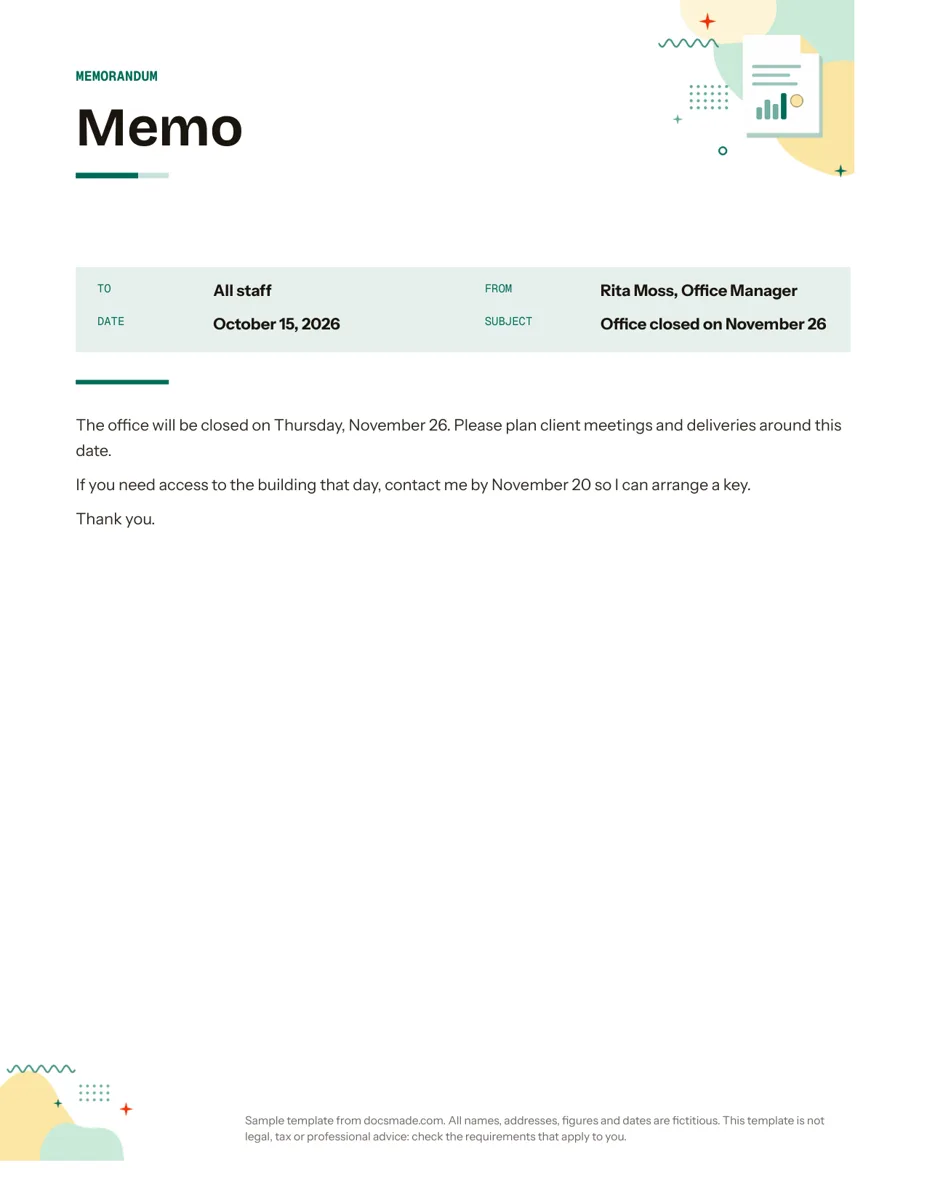 Business & finance Google Docs Memo Template for Office Announcements Free business memo template for Google Docs with To, From, Date and Subject lines. Preview it, make a copy, or download as .docx and PDF. View template →
 -
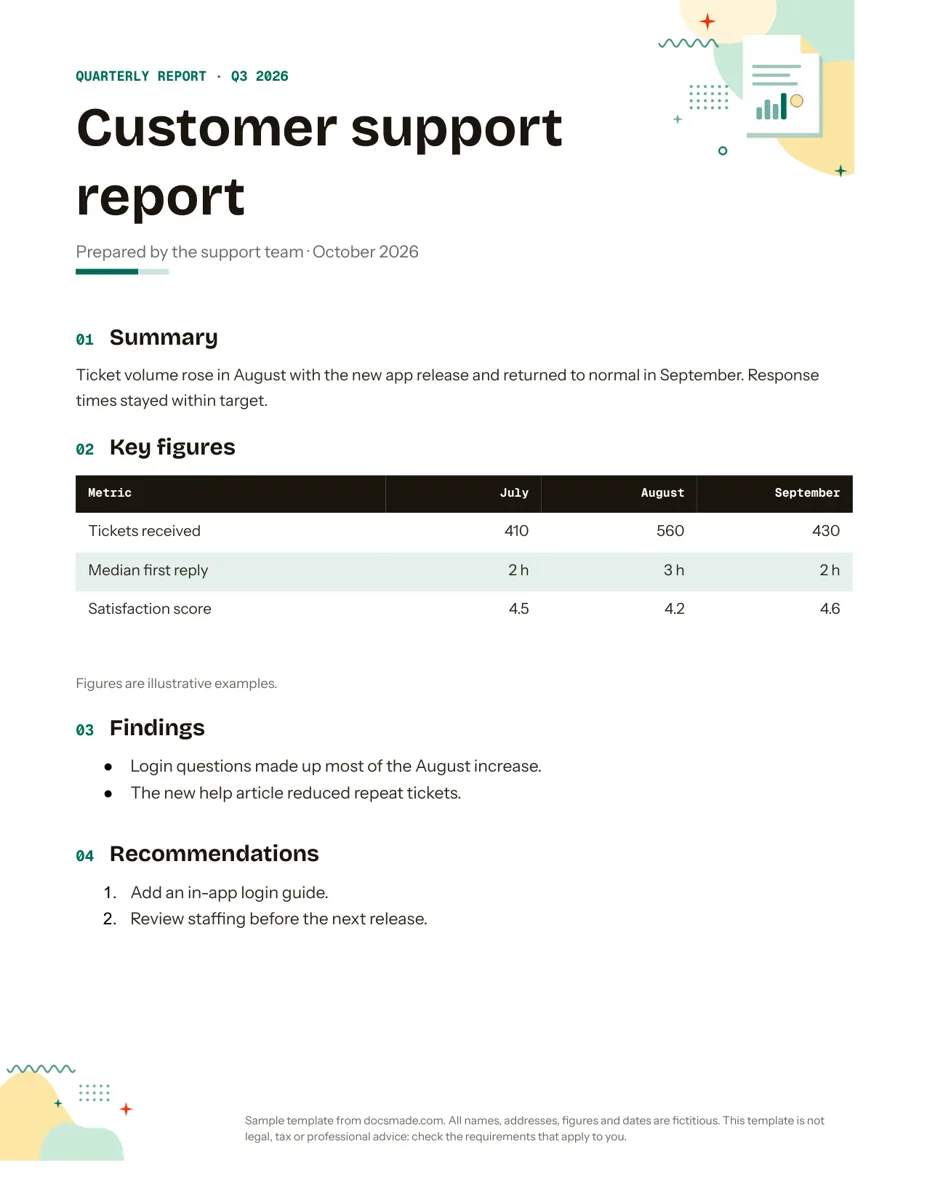 Business & finance Google Docs Report Template for Quarterly and Monthly Reports Free report template for Google Docs: summary, key figures table, findings and recommendations. Real Doc you can preview, copy or get as .docx/PDF. View template →
 -
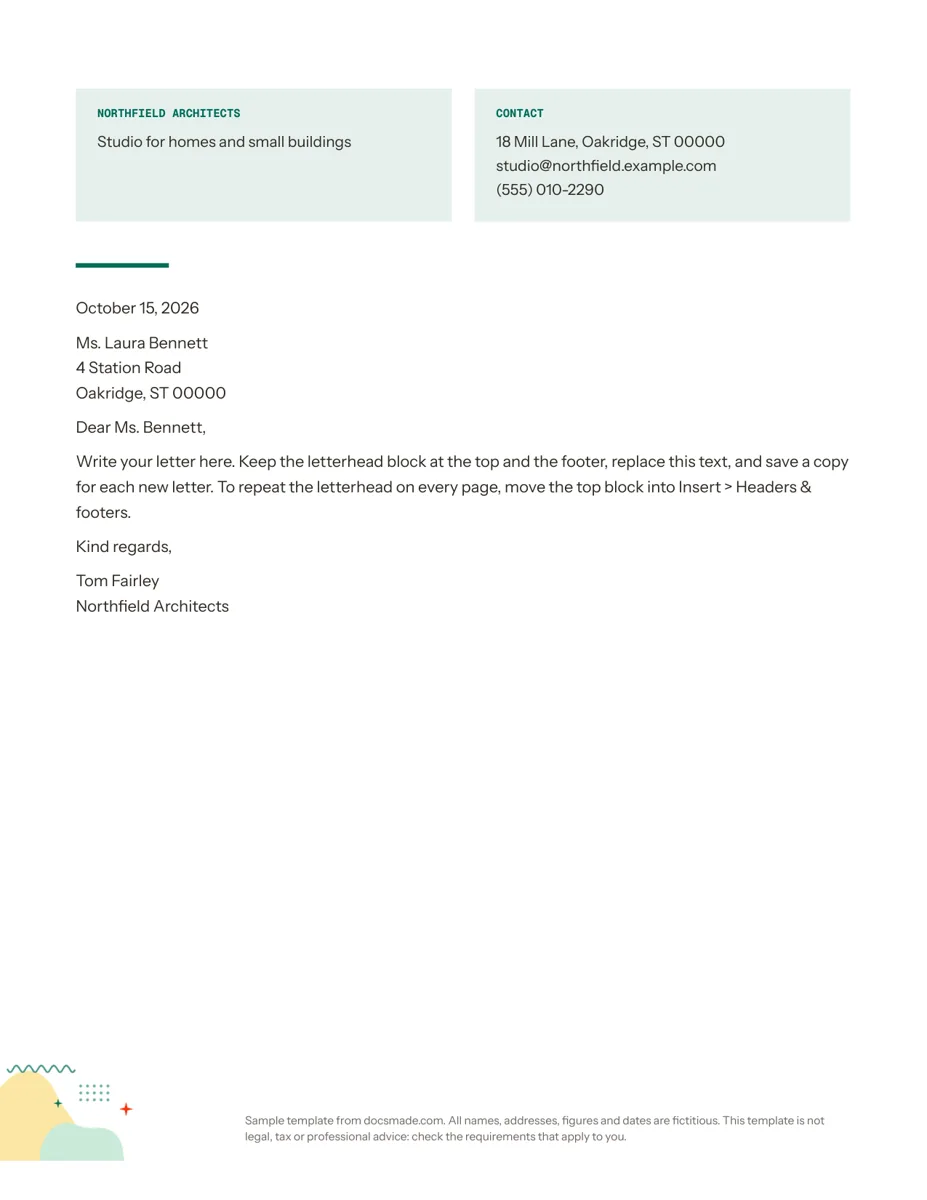 Business & finance Google Docs Letterhead Template for Business Letters Free business letterhead template for Google Docs with company and contact block. Real Doc: preview it, make a copy, or download .docx and PDF. View template →
 -
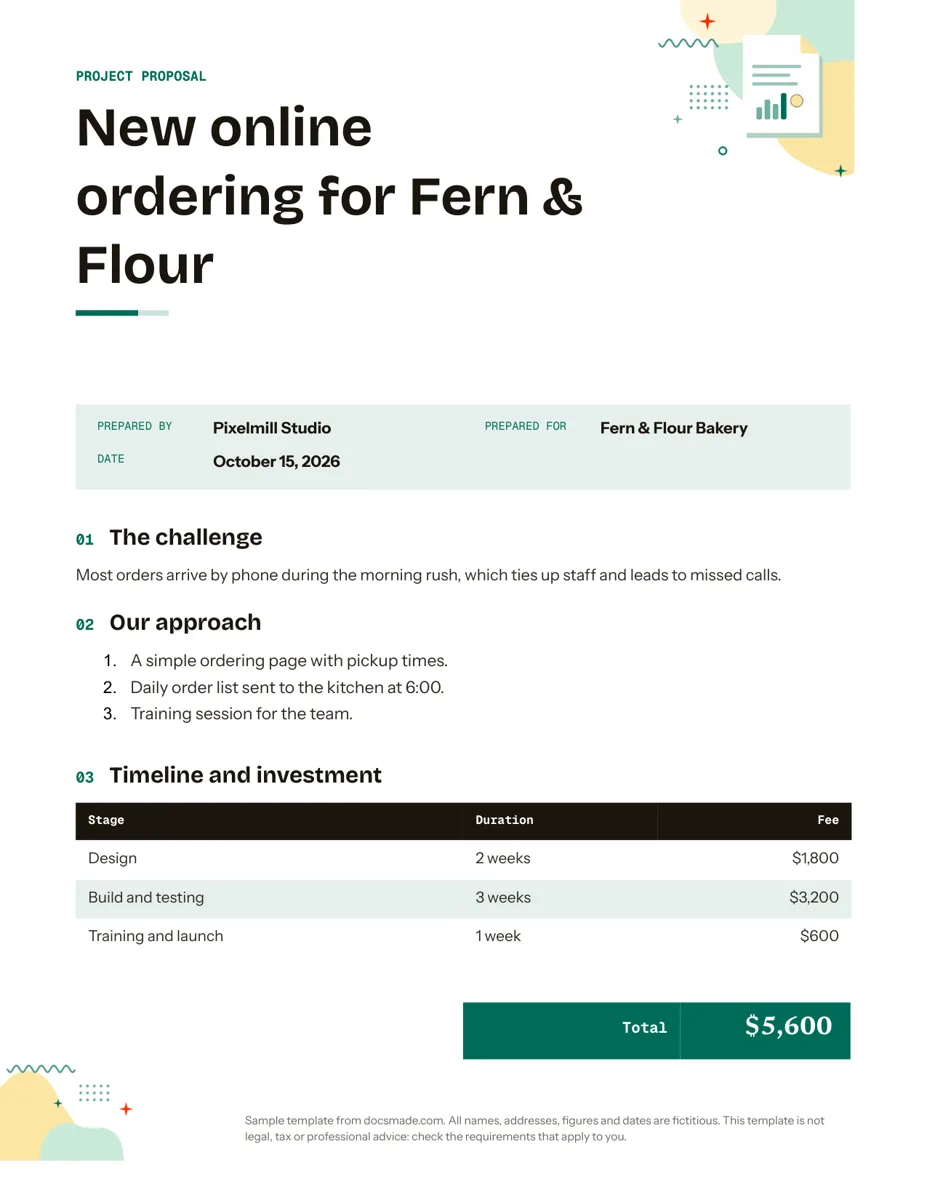 Business & finance Google Docs Proposal Template for Client Projects Free project proposal template for Google Docs: challenge, approach, timeline, fees and next steps. Preview, make a copy, or get .docx and PDF. View template →