
Google Docs Business Plan Template with a Worked Example
Prefer a file? Download .docx · Download PDF
How it works: “Use this template” opens Google’s copy screen. Sign in to your Google account and the document is copied to your own Drive, where you can edit every line. Need help copying the document?
What's inside the business plan template
-
1. Executive summary
-
2. Company description
- Legal structure · Location · Founded · Stage
-
3. Products and services
- Espresso drinks, drip coffee and cold brew
- Pastries from a local bakery on consignment
- Private event bookings (weddings, office events)
-
4. Market analysis
-
5. Marketing and sales
-
6. Operations
-
7. Financial plan
- Table: Year 1, Year 2, Year 3
-
8. Funding request
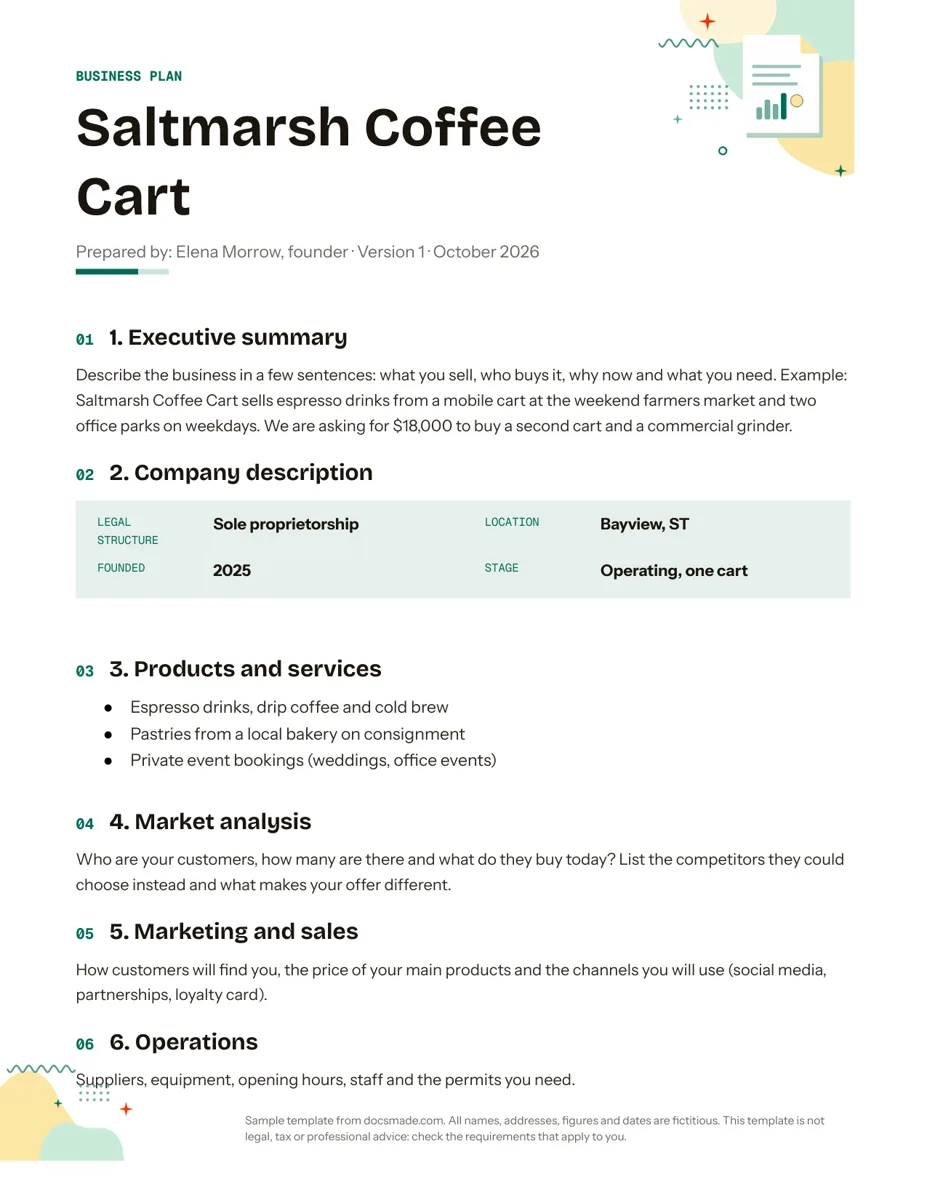
This business plan template is a real Google Doc with eight sections, short writing prompts and a filled-in example for a small business. It suits founders, side businesses and anyone applying for a small loan or grant who wants a clear plan without a 40-page format. Preview it here, copy it to your Drive and replace the example with your own business.
What the simple business plan template for Google Docs covers
The example is a fictitious mobile coffee business, Saltmarsh Coffee Cart, prepared by its founder. Each section mixes a prompt (what to write) with sample content (what it can look like):
- Executive summary. A few sentences on what you sell, who buys it, why now and what you need. The sample states what the business does and the amount it is asking for and why.
- Company description. A label and value block with legal structure, location, year founded and stage.
- Products and services. A bullet list: drinks, pastries sold on consignment and private event bookings.
- Market analysis. Prompts on who your customers are, what they buy today and which competitors they could choose instead.
- Marketing and sales. How customers find you, the price of your main products and the channels you will use.
- Operations. Suppliers, equipment, opening hours, staff and the permits you need.
- Financial plan. A three-year table with revenue, cost of goods, operating expenses and net profit, followed by a note that the figures are illustrative.
- Funding request. How much you need, what it pays for, and how and when it will be repaid.
A cover band, the business name and a "Prepared by" line with a version number sit at the top, so you can track drafts as the plan changes.
How to write each section of your business plan
Write the plan in a different order from the one it is read in. Most people find it easier to start with the facts and finish with the summary.
- Start with products, operations and the company block. These are things you already know, and they make the harder sections easier.
- Do the market section with evidence. Name real competitors near you, what they charge and why a customer would pick you. If you have pre-orders, letters of intent or past sales, mention them. Avoid broad industry statistics you cannot source.
- Build the numbers in a spreadsheet first. The table in the Doc holds text, not formulas. Work out revenue and costs in Google Sheets, check that each net profit row equals revenue minus cost of goods minus operating expenses, then copy the results into the Doc. Base revenue on something you can explain, such as cups per day times price times days open.
- Be specific in the funding request. List what the money buys (a second cart, a grinder) and how repayment fits the cash the business produces.
- Write the executive summary last. Pull one or two sentences from each section. Many readers decide from this paragraph alone whether to keep reading.
Lenders and grant programs often ask for their own sections or forms, so check what they require before you finalize. This template is a planning aid, not legal, tax or financial advice; the U.S. Small Business Administration has guidance on writing a business plan if you need more depth.
How to customize the business plan in Google Docs
Click Use this template on this page, or open the preview and choose File > Make a copy. The copy lives in your Drive and you can edit everything. The guide to copying a Google Doc explains the steps.
- Replace the example. Overwrite each prompt and sample paragraph with your own text. Delete the "Figures are illustrative" note once the numbers are yours.
- Add a table of contents. Because every section uses a heading style, Insert > Table of contents builds a clickable contents list for you. View > Show outline gives the same navigation in the sidebar while you write.
- Extend the financial table. Right-click to insert rows for items like loan repayments or owner draws, or add a column for a fourth year.
- Change the look. Use Format > Paragraph styles to restyle all section headings at once, and File > Page setup to switch between Letter and A4.
- Add appendices. Insert a page break (Insert > Break > Page break) after the funding request for resumes, quotes from suppliers or photos of your product.
Share the plan with partners and export it as PDF
A business plan usually goes through several readers: a co-founder, a mentor, an accountant. Click Share, add their email and give them comment access so they can leave notes with Insert > Comment without changing your text. File > Version history lets you name versions ("Draft for bank meeting") and go back if needed, which pairs well with the version line at the top of the plan.
When you send the plan to a lender or investor, export a fixed copy: File > Download > PDF Document (.pdf). If they ask for Word, use File > Download > Microsoft Word (.docx). The buttons on this page also give you the blank template in both formats.
Startup, loan and one-page business plan uses
- Startup plan. Before launch, the operations and market sections do most of the work. Keep the financial table to cautious estimates and say what they are based on.
- Bank loan or grant application. The funding request and financial plan matter most. Add a cash flow view by month as an appendix if the lender asks for it.
- One-page plan. Cut each section to two or three lines and drop the table to totals only. It works well as a pitch summary or for internal planning.
- Annual review. Copy last year's plan, update the version line and compare forecasts with what actually happened.
Pitching a single project to a client rather than planning a company? Use the proposal template instead. For regular updates to investors or partners, the report template keeps the same look. Browse all business and finance templates for Google Docs.
Business plan template for Google Docs: FAQ
Is this business plan template for Google Docs free?
Yes. You can preview it, copy it to your Drive and download it as .docx or PDF without paying or signing up.
How long should a small business plan be?
Long enough to answer what the reader needs to decide. For a small business or a modest loan, the eight sections in this template often fit in a handful of pages. A lender may ask for more detail in specific areas.
Can Google Docs calculate the financial projections?
No. Tables in Google Docs do not run formulas. Build your projections in Google Sheets and copy the results, or paste a linked chart from Sheets with Insert > Chart > From Sheets so it can be refreshed when the numbers change.
Should I keep the example figures as a guide?
Use them only to see how the table reads. The example numbers are fictitious, so replace every one with your own projections and explain the assumptions behind them.
What is the difference between a business plan and a business proposal?
A business plan describes your whole company: market, operations and finances. A proposal pitches one piece of work to one client, with a scope and a price.
More templates
-
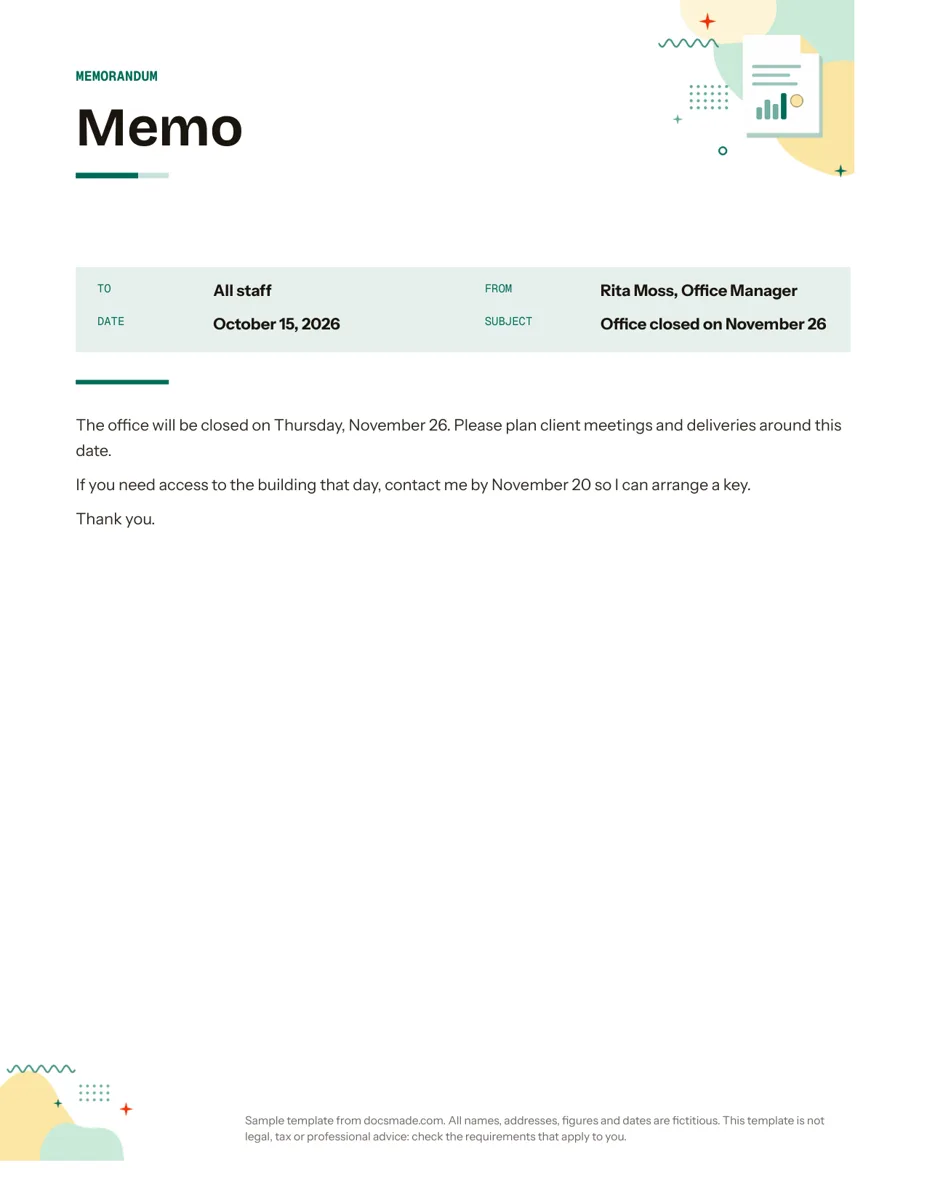 Business & finance Google Docs Memo Template for Office Announcements Free business memo template for Google Docs with To, From, Date and Subject lines. Preview it, make a copy, or download as .docx and PDF. View template →
 -
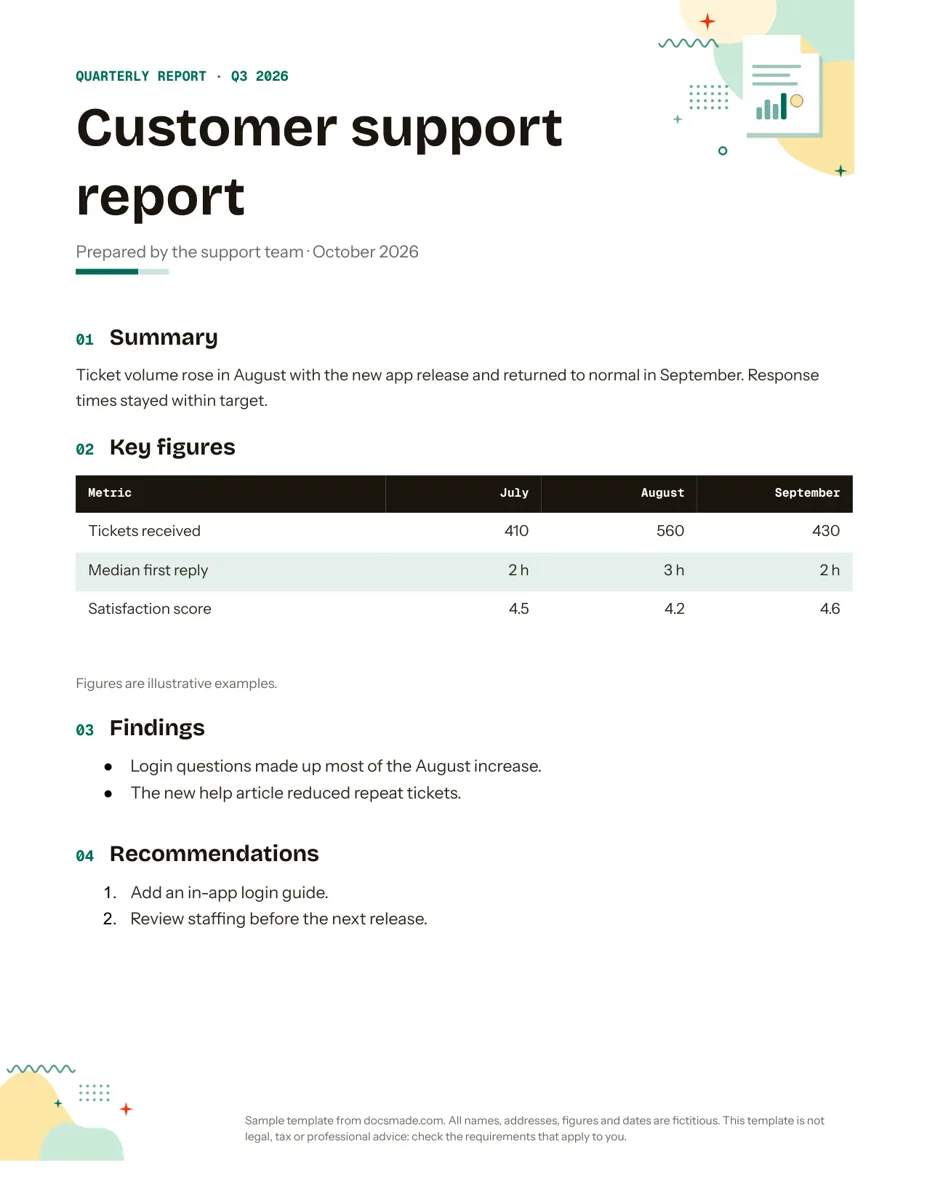 Business & finance Google Docs Report Template for Quarterly and Monthly Reports Free report template for Google Docs: summary, key figures table, findings and recommendations. Real Doc you can preview, copy or get as .docx/PDF. View template →
 -
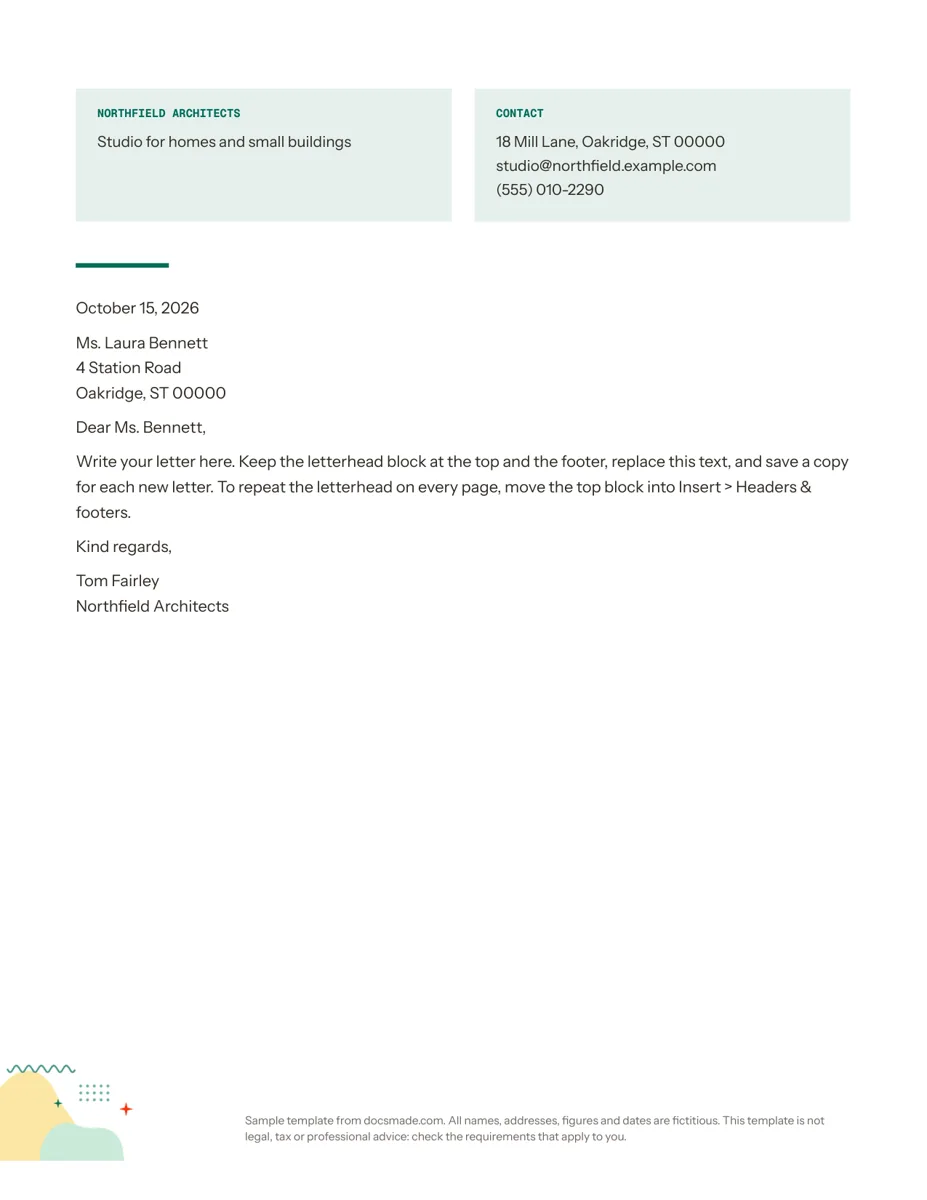 Business & finance Google Docs Letterhead Template for Business Letters Free business letterhead template for Google Docs with company and contact block. Real Doc: preview it, make a copy, or download .docx and PDF. View template →
 -
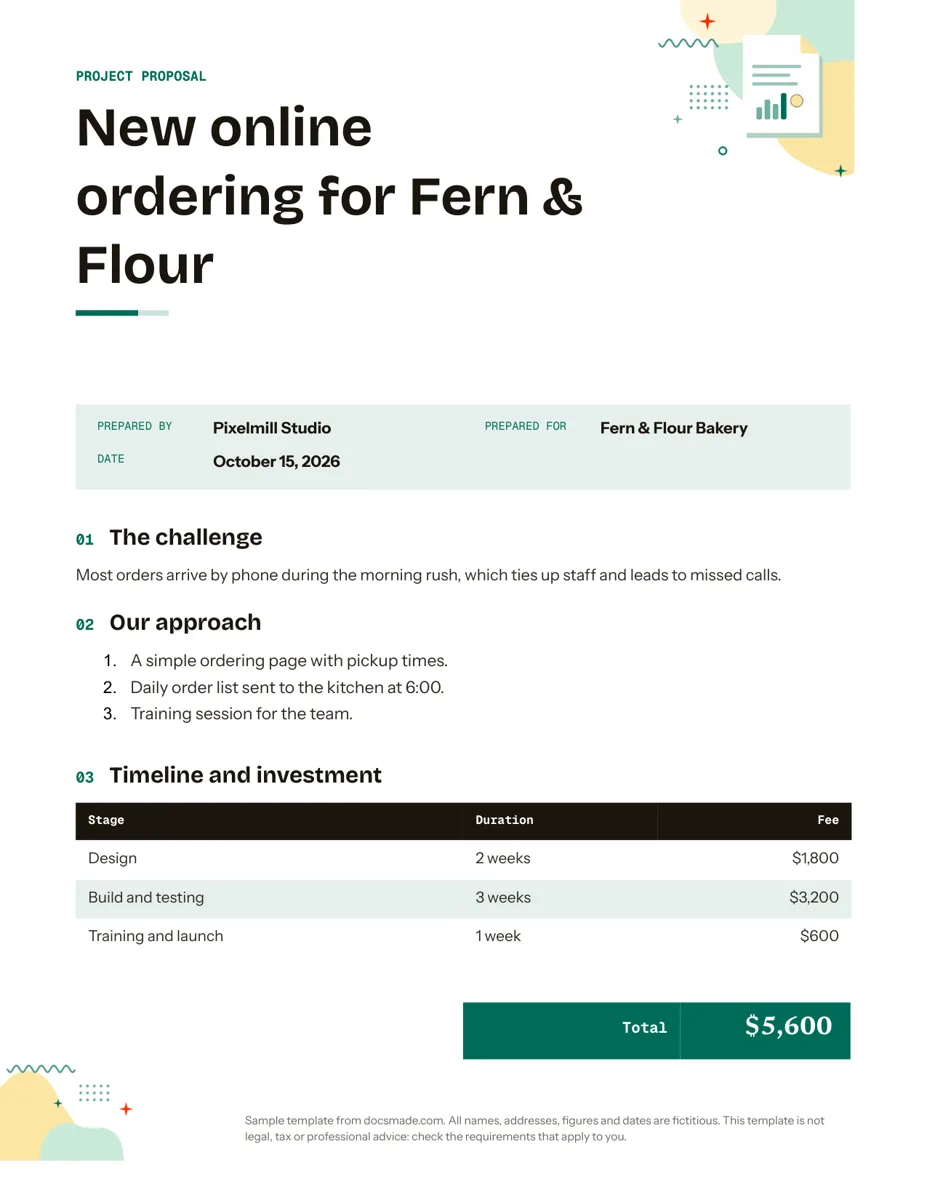 Business & finance Google Docs Proposal Template for Client Projects Free project proposal template for Google Docs: challenge, approach, timeline, fees and next steps. Preview, make a copy, or get .docx and PDF. View template →