
Google Docs Resume Template with a Two-Column Layout
Prefer a file? Download .docx · Download PDF
How it works: “Use this template” opens Google’s copy screen. Sign in to your Google account and the document is copied to your own Drive, where you can edit every line. Need help copying the document?
What's inside the Google Docs resume template
-
Summary
-
Experience
-
Education
-
Skills
-
Certifications
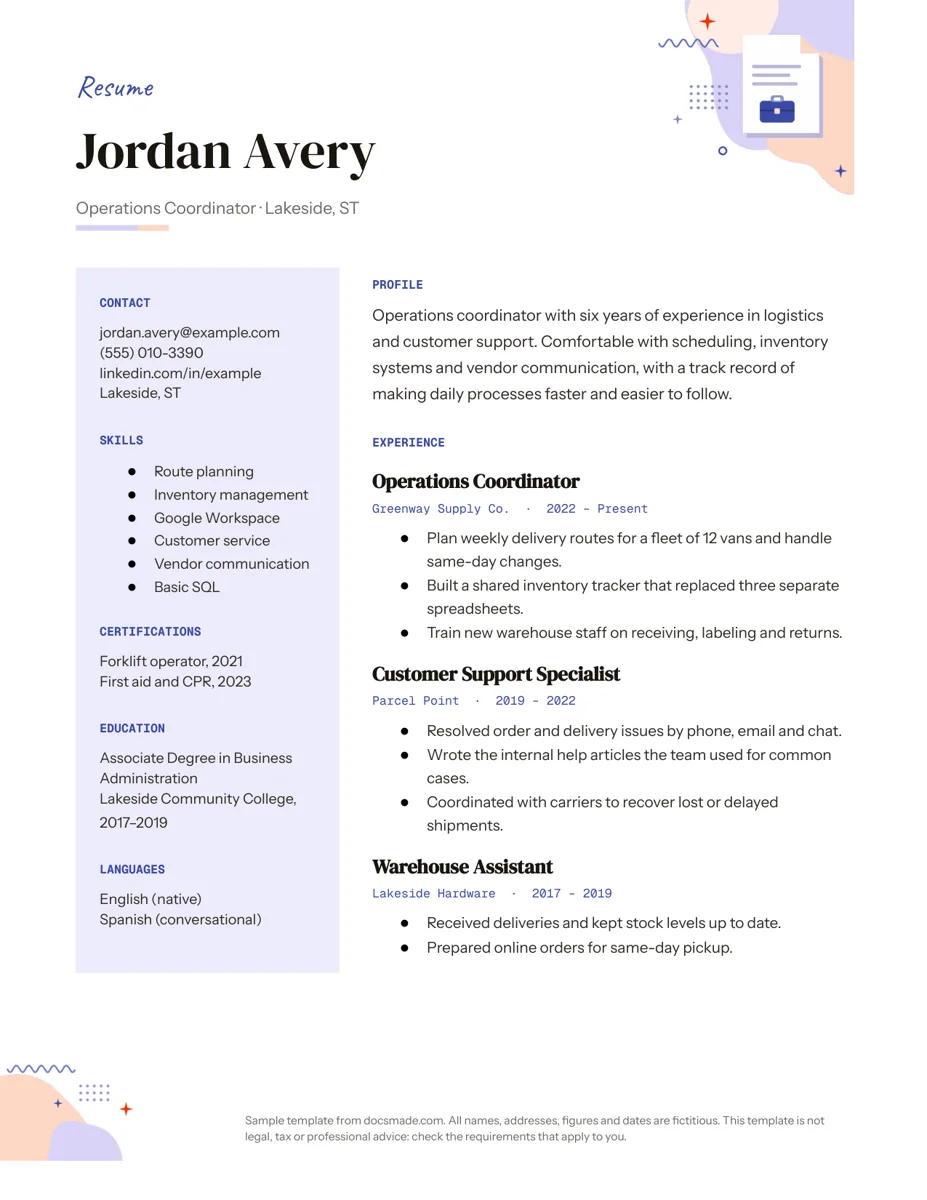
This Google Docs resume template fits a full work history on one page: contact details, skills, certifications, education and languages in a tinted sidebar, and your profile and experience in the wider main column. It works well for people with a few years of experience who want something tidy without fighting the formatting. It is a real Google Doc, so you can preview it, make a copy and replace the sample text in a few minutes.
What's in this free resume template for Google Docs
The sample resume belongs to a fictional operations coordinator, Jordan Avery, so every section shows realistic content instead of placeholder text.
- Name and headline. A large name with a single line underneath for your job title and city ("Operations Coordinator · Lakeside, ST").
- Sidebar. Contact (email, phone, LinkedIn URL, city), Skills as a short bulleted list, Certifications with years, Education with the degree, school and dates, and Languages with your level.
- Profile. Three lines that say who you are, how long you have done the work and what you are good at.
- Experience. Three roles in reverse order. Each has the job title in bold, the employer and dates on the line below, and two or three bullet points that start with a verb.
The layout is a two-column table set to US Letter, with a small illustration in the top corner and a short note in the footer. Both decorations can be deleted.
How to write each section of your resume
Hiring managers skim a resume before they read it, so each section has a clear job. Fill them in this order:
- Experience first. List your most recent role at the top. For each job, write bullet points about results and responsibilities, not duties copied from the job ad. "Built a shared inventory tracker that replaced three separate spreadsheets" says more than "Responsible for inventory."
- Use numbers you can back up. Team size, fleet size, number of locations or how often you did something are easy to verify and make a bullet concrete. Leave out figures you cannot explain in an interview.
- Skills that match the posting. Pick six to eight skills that appear in the job description and that you can talk about. Tools (Google Workspace, SQL, a specific CRM) are more useful than traits like "hard-working."
- Profile last. Once the rest is written, summarize it in two or three sentences aimed at the role you want.
- Education and certifications. Include the qualification, the school and the years. Recent graduates can move Education higher and add coursework or projects.
Common mistakes: a resume longer than one page for early-career roles, an email address that is not professional, inconsistent date formats and typos in company names. Read it aloud once before sending.
How to edit the resume template in Google Docs
Click Use this template on this page, or open the preview and go to File > Make a copy. Your copy saves to your own Google Drive. If you are not asked to copy it, our guide on how to copy a Google Doc walks through it.
- Add or remove a job. Select one whole job (title, employer line and bullets), copy it and paste it below to get another with the same formatting. Delete the oldest role if you need space.
- Resize the columns. Drag the border between the sidebar and the main column, or set exact widths in Format > Table > Table properties.
- Change the sidebar color. Click inside the sidebar and use the fill color option on the toolbar. A light tint prints better than a dark one.
- Fonts. Select your name and choose a new font from the font menu. To change all section labels at once, restyle one and use Format > Paragraph styles to update the matching style.
- Decorations and page size. Click the corner illustration and press Delete if you want a plainer look, and double-click the footer to remove the sample note. File > Page setup switches from Letter to A4 for applications outside North America.
If the text spills onto a second page, shorten the oldest job to one bullet, trim the profile, or reduce the margins slightly in Page setup before shrinking the font.
Download your resume as PDF or Word and send it
Go to File > Download and choose PDF Document (.pdf) for most applications: the layout and fonts stay exactly as you see them. Choose Microsoft Word (.docx) when a recruiter or job portal asks for a Word file. Name the file with your name and the role, for example "Jordan-Avery-Resume.pdf", not "Copy of Resume".
You can also send a link. Click Share, set General access to "Anyone with the link" with the Viewer role, and paste the link into your application. Before sharing, check that the sample note in the footer is gone and resolve any open comments, since viewers can see them. A friend or mentor can review your draft as a Commenter and leave notes with Insert > Comment.
ATS-friendly, student and career-change versions
- ATS-friendly resume. Many large employers run applications through an applicant tracking system. Some of these systems read two-column tables in an unexpected order. If a portal parses your resume into form fields, check the result; if the sidebar comes out jumbled, move the sidebar sections under the main column so the page reads in one column, and keep standard headings like Experience and Education.
- Student resume. Put Education at the top of the main column, then projects, volunteering and part-time work. Use the sidebar for skills and languages.
- Career change. Lead the profile with the role you want, and list transferable skills first in the sidebar.
- Federal or academic CV. These usually need more detail than one page allows, so use this layout as a starting point and add pages.
Most applications also ask for a letter. Our cover letter template uses the same name header so the two look like a set. If you are asking a former manager or teacher for support, share our letter of recommendation template with them, and when the new offer arrives, the resignation letter template covers your notice. More job-search documents are in the career templates section.
Google Docs resume template FAQ
Does Google Docs have built-in resume templates?
Yes. The Template gallery in Google Docs includes a handful of resume designs under the Resumes heading. This template adds a two-column layout with a skills sidebar, which the built-in designs do not use.
Is this a free resume template for Google Docs?
Yes. There is no sign-up and no watermark. You make a copy in your own Google account and the result belongs to you.
Should my resume be one page?
For most people with under ten years of experience, one page is enough and easier to read. If you have a longer career, a second page is fine, as long as the most relevant roles are on page one.
Can I add a photo to this resume template?
You can place one at the top of the sidebar with Insert > Image. In the United States and Canada, resumes usually leave the photo out, so only add one if the employer or country expects it.
How do I make a simple, one-column version?
Copy the sidebar sections, paste them under Experience in the main column, then delete the empty sidebar column with a right-click and Delete column. The headings and bullet styles stay the same.
More templates
-
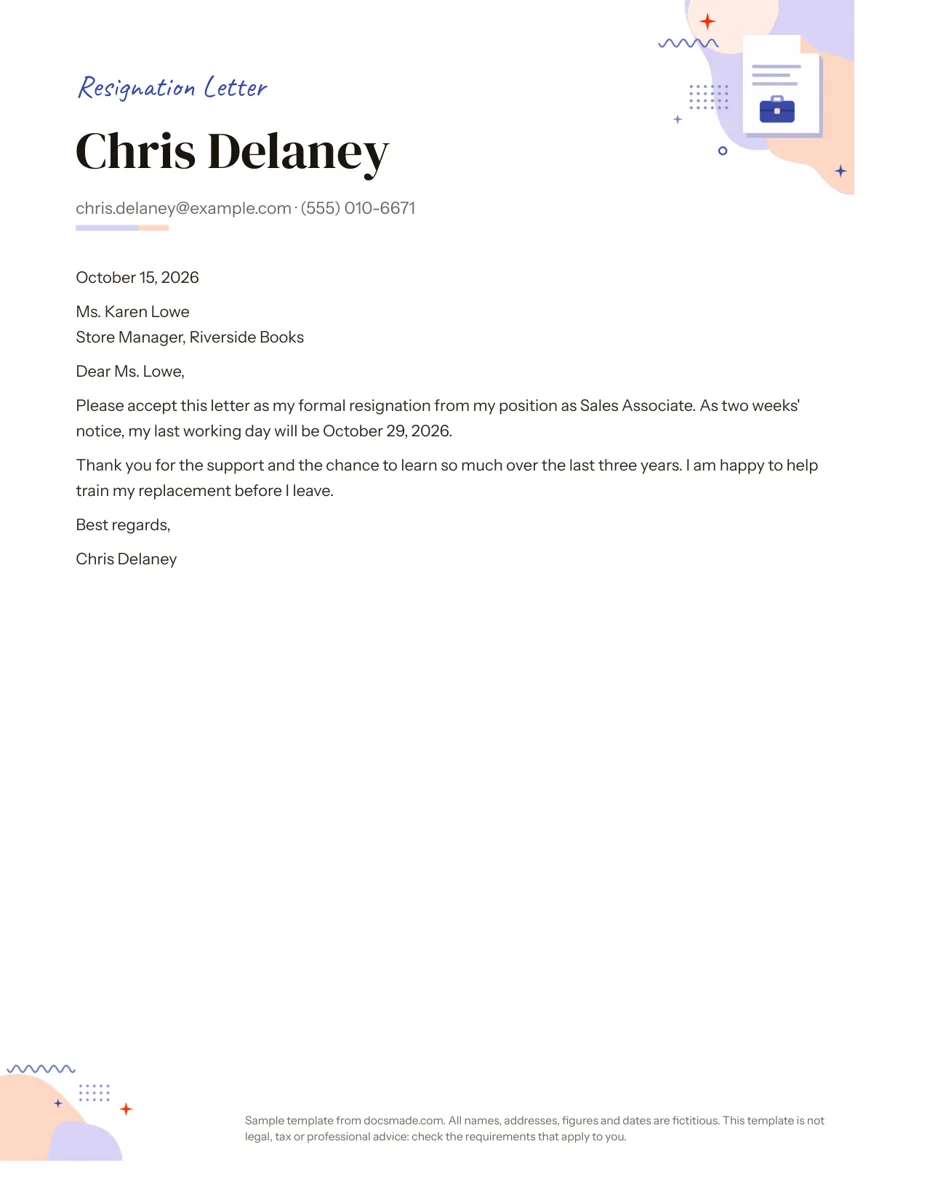 Career Google Docs Resignation Letter Template (Two Weeks Notice) Free two weeks notice letter template for Google Docs with a polite sample letter. Real Doc: preview it, make a copy, or download .docx and PDF. View template →
 -
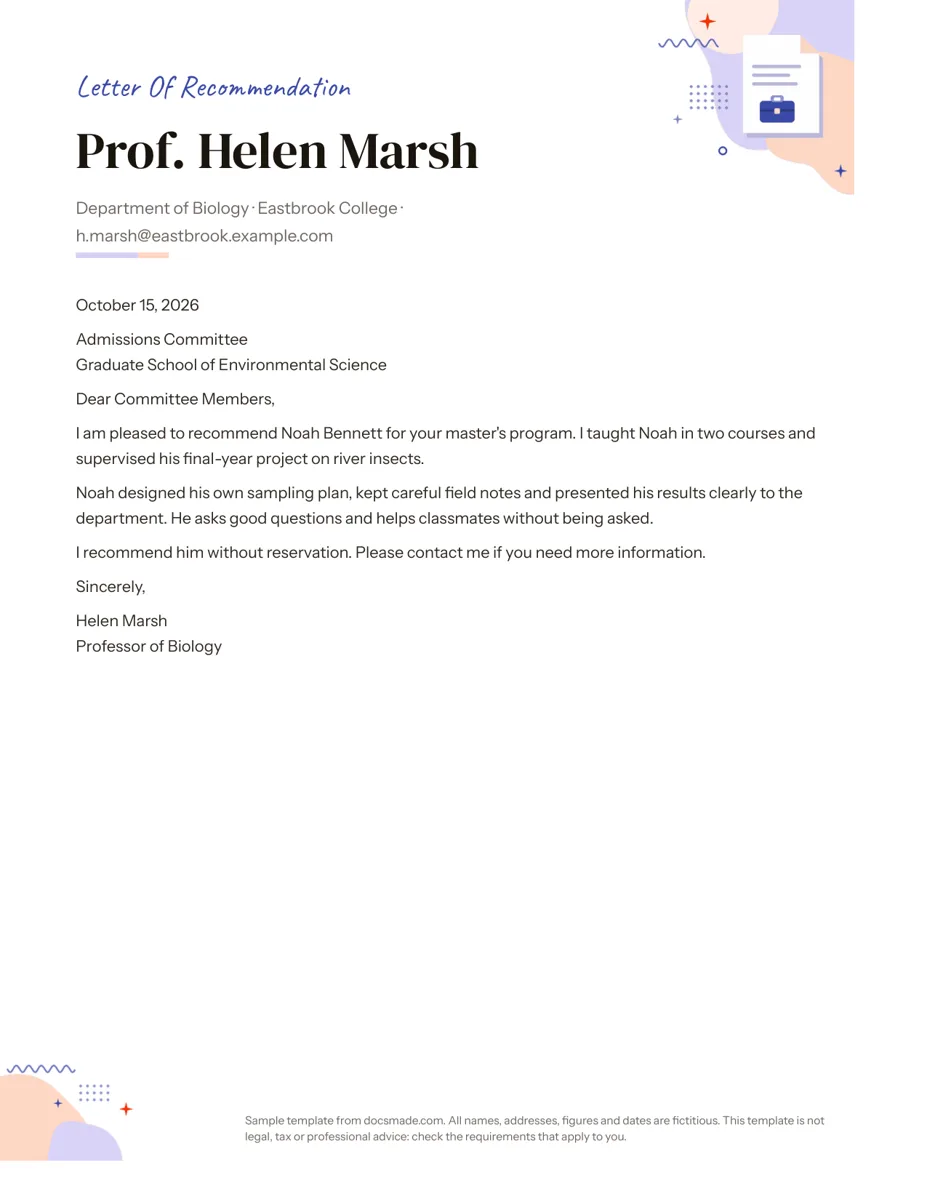 Career Google Docs Letter of Recommendation Template Free recommendation letter template for Google Docs with a complete sample for a graduate program. Real Doc: preview, copy or download .docx/PDF. View template →
 -
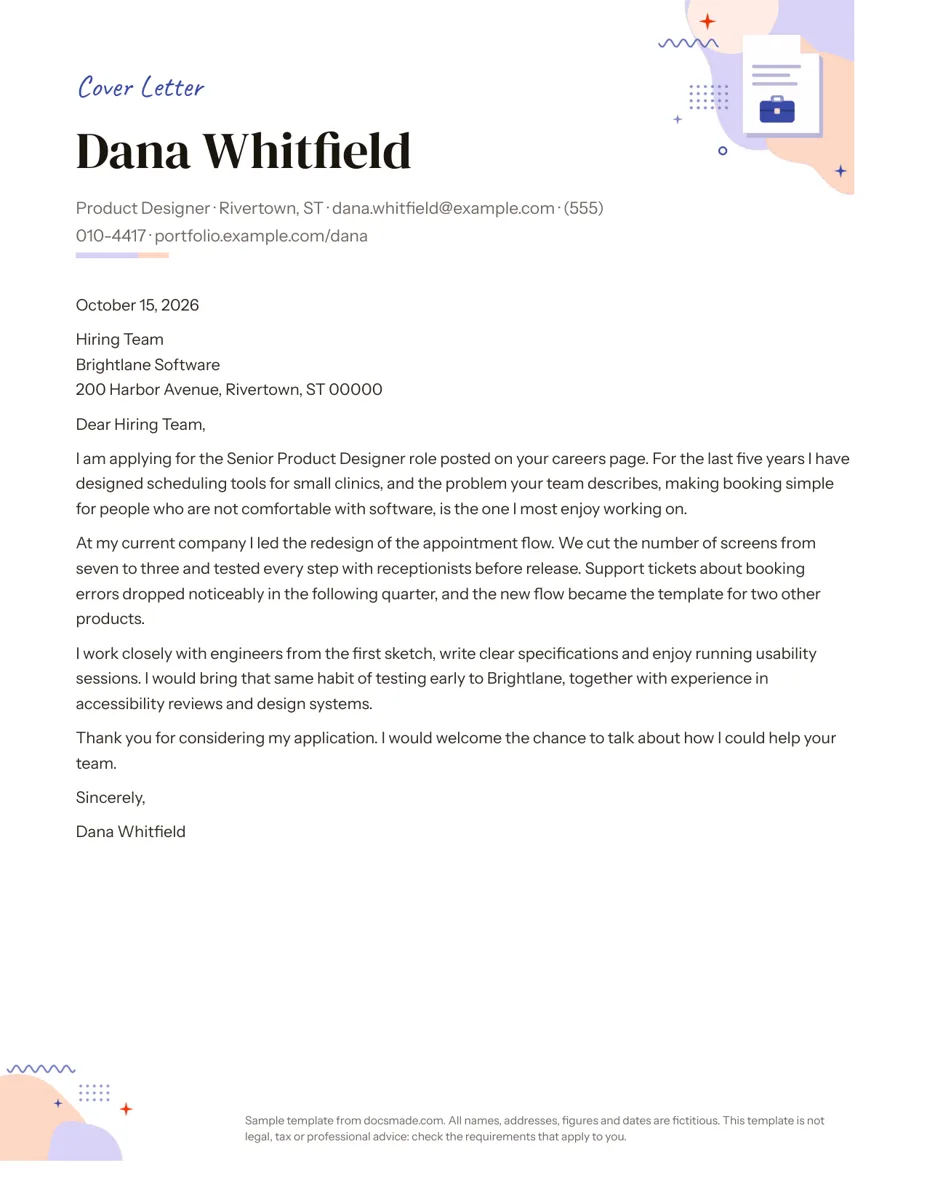 Career Google Docs Cover Letter Template for Job Applications Free cover letter template for Google Docs with a sample letter for a job application. Real Doc: preview it, make a copy, or download .docx and PDF. View template →
 -
 Business & finance Google Docs Memo Template for Office Announcements Free business memo template for Google Docs with To, From, Date and Subject lines. Preview it, make a copy, or download as .docx and PDF. View template →