
Google Docs Lab Report Template for Science Classes
Prefer a file? Download .docx · Download PDF
How it works: “Use this template” opens Google’s copy screen. Sign in to your Google account and the document is copied to your own Drive, where you can edit every line. Need help copying the document?
What's inside the lab report template
-
Details
- Student · Class · Date
-
Question
-
Hypothesis
-
Materials and method
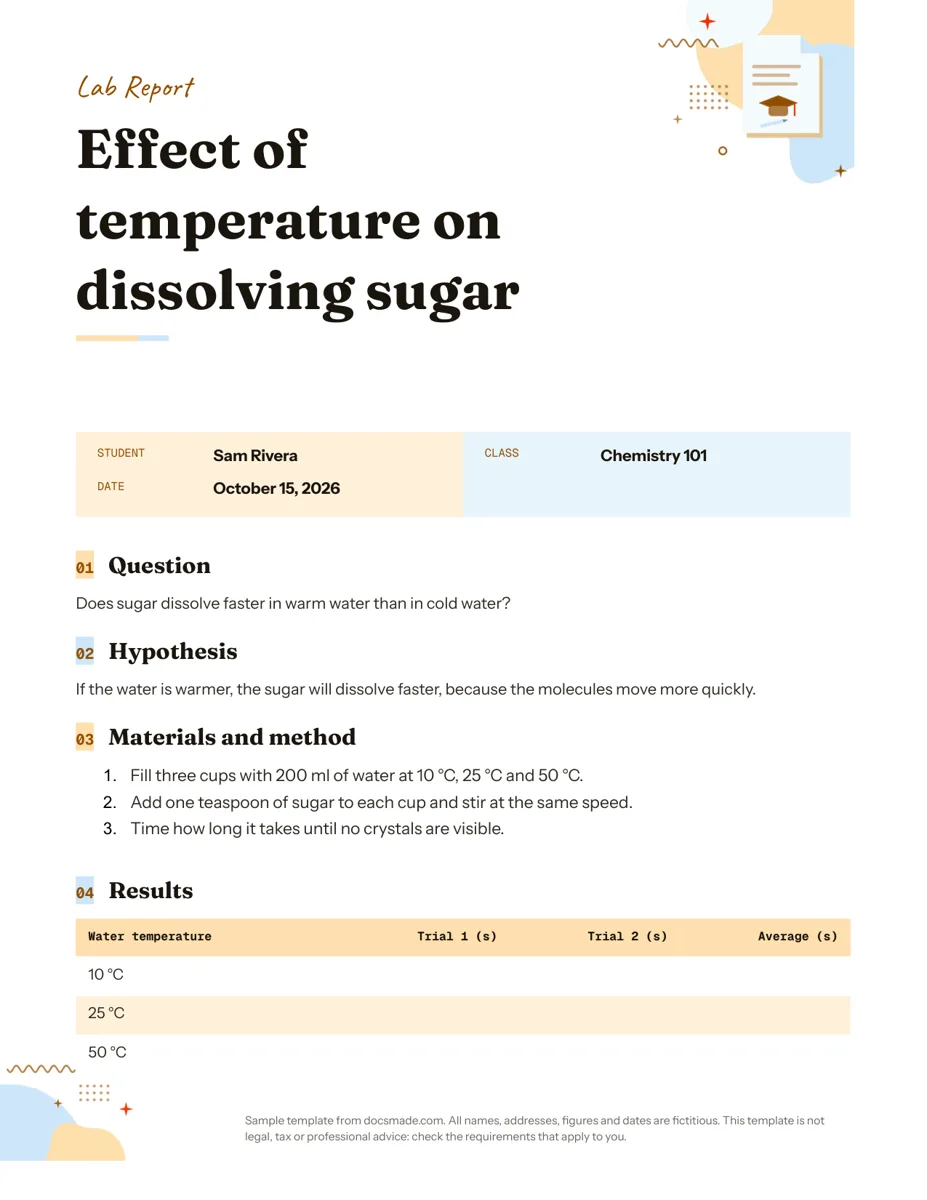
- Fill three cups with 200 ml of water at 10 °C, 25 °C and 50 °C.
- Add one teaspoon of sugar to each cup and stir at the same speed.
- Time how long it takes until no crystals are visible.
-
Results
- Table: Water temperature, Trial 1 (s), Trial 2 (s), Average (s)
-
Conclusion
This Google Docs lab report template gives students a clean, one-page structure for writing up an experiment: the question, the hypothesis, the method, a results table and a conclusion. It is a real Google Doc, so you can preview it right here, make your own copy in one click, and edit it in your browser, or download it as a Word file or PDF if your teacher wants a file upload.
What's in this lab report template for Google Docs
The template follows the order most science teachers expect, and every section is already filled with a short worked example so you can see what belongs where. The example experiment tests whether sugar dissolves faster in warm water than in cold water.
- Header block. A colored title band with the experiment name, followed by three labeled fields: Student, Class and Date.
- Question. One line that states what the experiment tries to find out.
- Hypothesis. A testable prediction written as an if/then statement with a short reason ("If the water is warmer, the sugar will dissolve faster, because the molecules move more quickly").
- Materials and method. A numbered procedure of three steps that names the quantities and conditions: three cups of 200 ml of water at 10 °C, 25 °C and 50 °C, one teaspoon of sugar per cup, the same stirring speed, and a timer.
- Results. A data table with four columns (Water temperature, Trial 1, Trial 2 and Average, all in seconds) and one row per temperature, left empty for your measurements.
- Conclusion. A prompt that reminds you to say whether the results support the hypothesis and what you would change next time.
The page is set to US Letter, and the numeric columns of the table are right-aligned so your times line up when you type them in.
How to write a science lab report with this template
A good lab report reads like a record that someone else could repeat. Use the sections in order and keep each one doing a single job.
Question and hypothesis
Write the question so it names one variable you change and one you measure. "Does temperature affect how fast sugar dissolves?" works; "What happens to sugar?" does not. The hypothesis then predicts the direction of the effect and gives a reason. Avoid writing a hypothesis after you have seen the data: your teacher wants your prediction, even if it turns out wrong.
Materials and method
List every step you actually did, with amounts, units and timings, as numbered instructions. If you changed anything during the lab, such as using 150 ml instead of 200 ml, write what you really did, not what the worksheet said. Mention what you kept the same (the controlled variables), because that is what makes the comparison fair.
Results table
Fill the table with raw numbers only and keep the units in the column headers, not in every cell. Run at least two trials, as the template suggests, and calculate the average yourself. Do not explain the numbers here; that belongs in the conclusion. If your class asks for a graph, add it under the table (see the next section).
Conclusion
Start by answering the question in one sentence. Then say whether the data support the hypothesis, point to the numbers that show it, and name one or two sources of error, such as stirring speed that was hard to keep constant. Finish with one change you would make if you repeated the experiment.
Customizing the lab report template in Google Docs
- Click Use this template on this page, or open the preview and choose File > Make a copy. The copy lands in your own Google Drive. Our guide to copying a Google Doc covers school accounts that block copying.
- Replace the example title, student name, class and date. Click into the colored header to edit its text; to change the color, select the cell and use the fill color button in the toolbar.
- Rewrite the question, hypothesis and method for your own experiment. Press Enter at the end of the numbered list to add more steps.
- Adjust the results table: right-click a row and choose Insert row below for more conditions, or Insert column right for a third trial.
- Add a graph with Insert > Chart. Google Docs creates a linked Google Sheets chart; open the source, paste your data and click Update in the Doc.
- Use Format > Text for superscript and subscript (useful for units and chemical formulas), and Insert > Special characters for symbols like ± or µ.
- Need A4 instead of Letter? Go to File > Page setup and pick the paper size.
Print, export and share your lab report
To hand in a file, choose File > Download and pick Microsoft Word (.docx) or PDF document (.pdf). The PDF keeps the layout exactly as you see it, which is safer for printing or for an upload portal. To share the live document with a lab partner or teacher, click Share, add their school email and set them as Editor or Commenter. Teachers can leave feedback with Insert > Comment, and students can see every earlier draft in File > Version history. If you work in Google Classroom, a teacher can attach the template to an assignment with "Make a copy for each student".
Chemistry, physics and biology lab report variations
The same structure adapts to most school labs with small changes:
- Chemistry lab report: add a short safety line under Materials and method, and a column for observations such as color change or precipitate.
- Physics lab report: add columns for calculated values and uncertainty, and insert a graph of your measurements under Results.
- Biology lab report: add a sample size line and a column for the control group.
- Formal lab report: if your course needs a longer write-up, add Introduction, Discussion and References headings using Format > Paragraph styles so they match the existing ones.
Teachers who plan the lab itself can pair this page with our lesson plan template, collect pre-lab answers with the questionnaire template, or review vocabulary using printable flashcards. More classroom documents are in the education templates section.
Lab report template Google Docs FAQ
Is there a lab report template in Google Docs?
Yes. This page links to a real Google Doc set up as a lab report: preview it, then use Make a copy to get your own editable version. It behaves like any other document in your Drive, with sharing, comments and version history.
Can I use it as a formal lab report template?
Yes. The one-page layout covers the core sections, and you can add Introduction, Discussion and References headings for a formal write-up. Check your course rubric first, since each teacher or department sets its own required sections.
Does it work as an APA lab report template?
It can be a starting point. APA-style reports usually need a title page, running page numbers and a references list, so add those with Insert > Page numbers and new headings, and follow the style guide your instructor gives you.
Can I open this lab report template in Word?
Yes. Use the .docx download on this page, or choose File > Download > Microsoft Word (.docx) from your copy. Tables and headings carry over; fonts may change if Word does not have the same typeface installed.
Is it simple enough for middle school students?
The template keeps to six short sections and a single table, so it suits middle school and high school science classes. Younger students can delete the hypothesis reason and write a one-line conclusion.
More templates
-
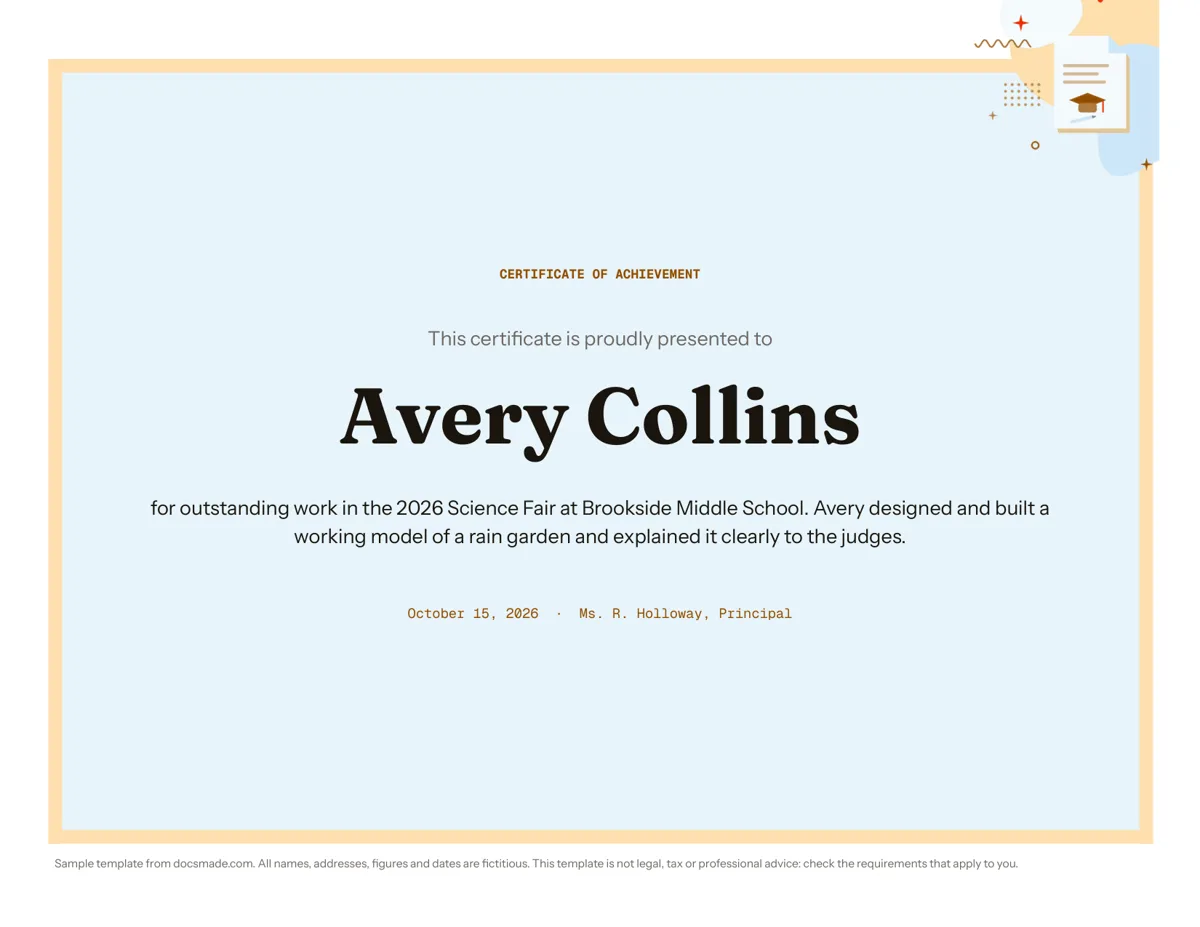 Education Certificate Template for Google Docs: Certificate of Achievement Free award certificate template for Google Docs: a framed landscape certificate of achievement. Preview, copy and edit, or download .docx or PDF. View template →
 -
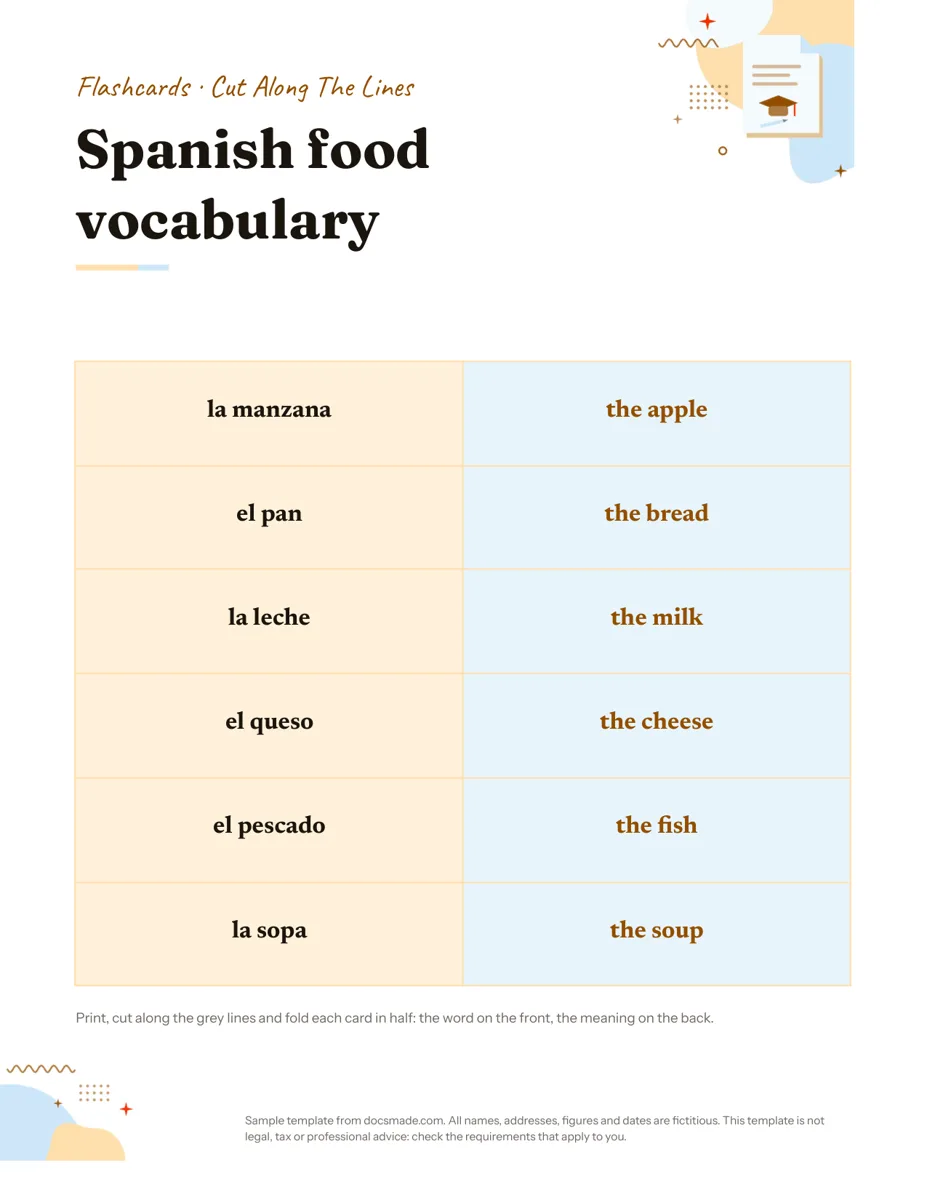 Education Google Docs Flashcard Template: Printable Cut-and-Fold Cards Printable flashcard template for Google Docs: a cut-and-fold grid with the word on the front and meaning on the back. Copy it, or get .docx or PDF. View template →
 -
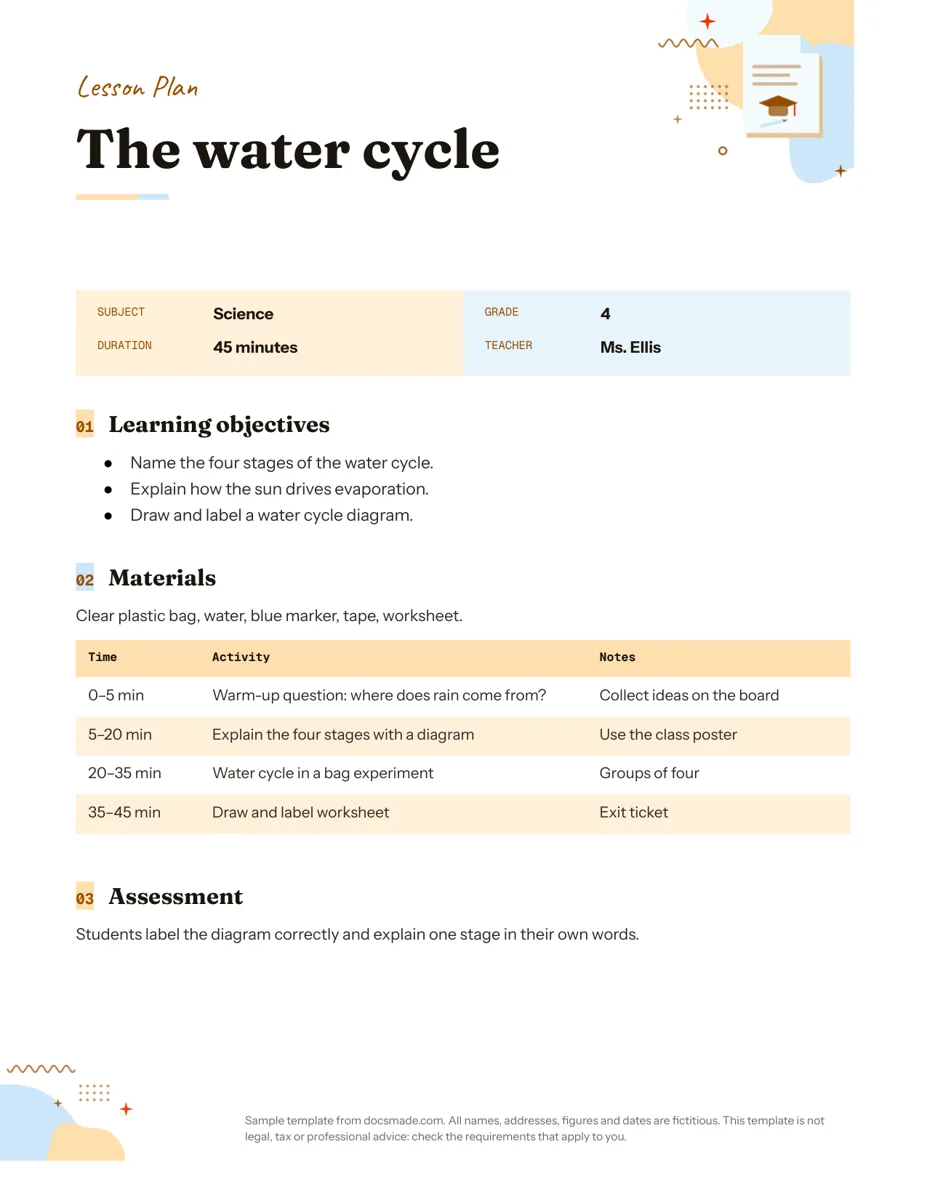 Education Google Docs Lesson Plan Template for a Single Lesson Simple lesson plan template for Google Docs: objectives, materials, timed activities and assessment. Preview, copy, or download as .docx or PDF. View template →
 -
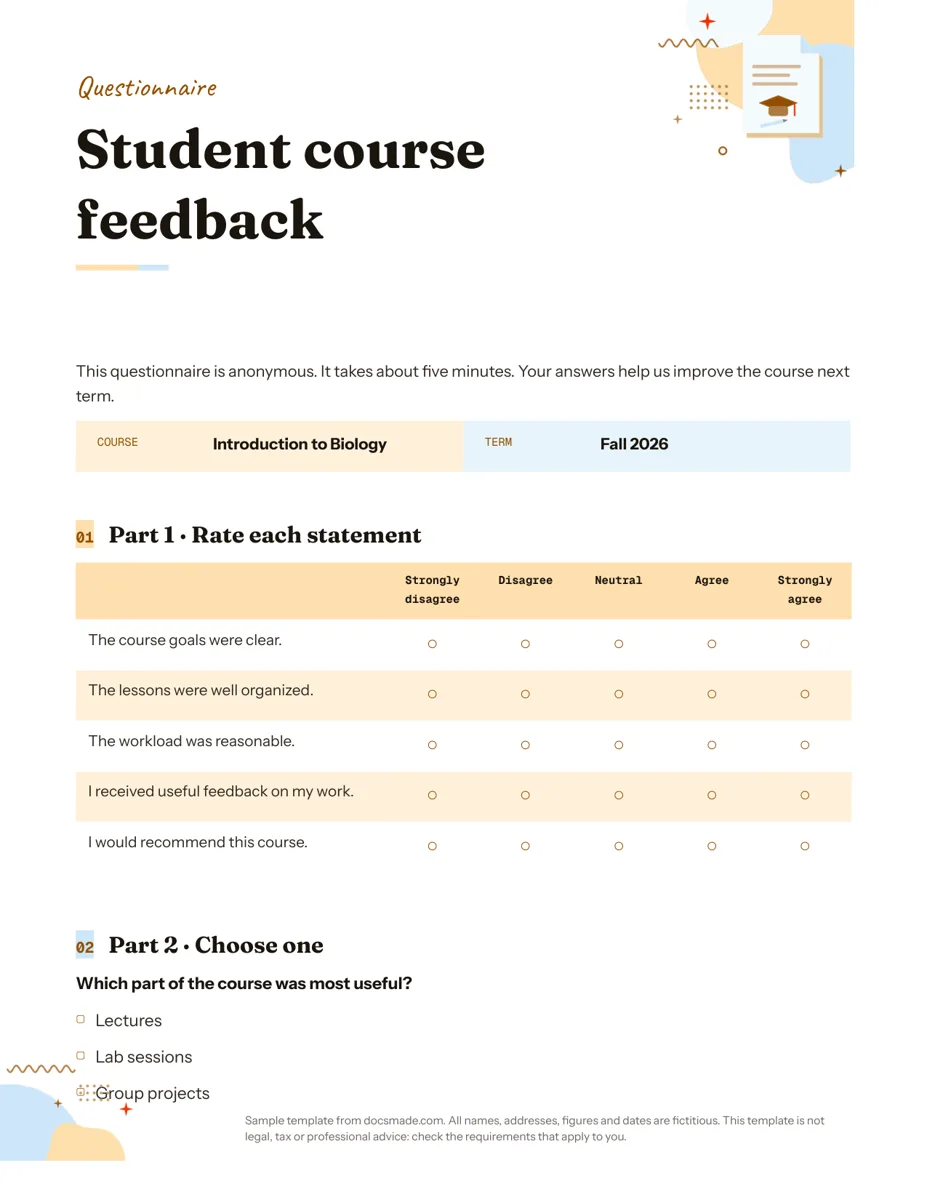 Education Google Docs Questionnaire Template for Printable Feedback Printable survey template for Google Docs with rating scale, multiple choice and open questions. Preview, copy, or download as .docx or PDF. View template →